
A failed Zambia eVisa payment is usually a bank block on an international transaction, a 3D Secure window suppressed by your browser, a billing-address mismatch, or a gateway timeout. The Zambia eVisa payment failed solution that works for most UK travellers is simple: check whether your bank actually took the money or just placed a pending hold, fix the browser or bank issue, then resume your saved draft on the official eServices portal instead of starting over.
This is an independent guide for UK tourists – we’re not a government site, and we don’t process applications or take payments on anyone’s behalf. Before you travel, double-check fees and requirements on the official portal, as they can change.
Quick Diagnostic: What to Do When Your Payment Fails
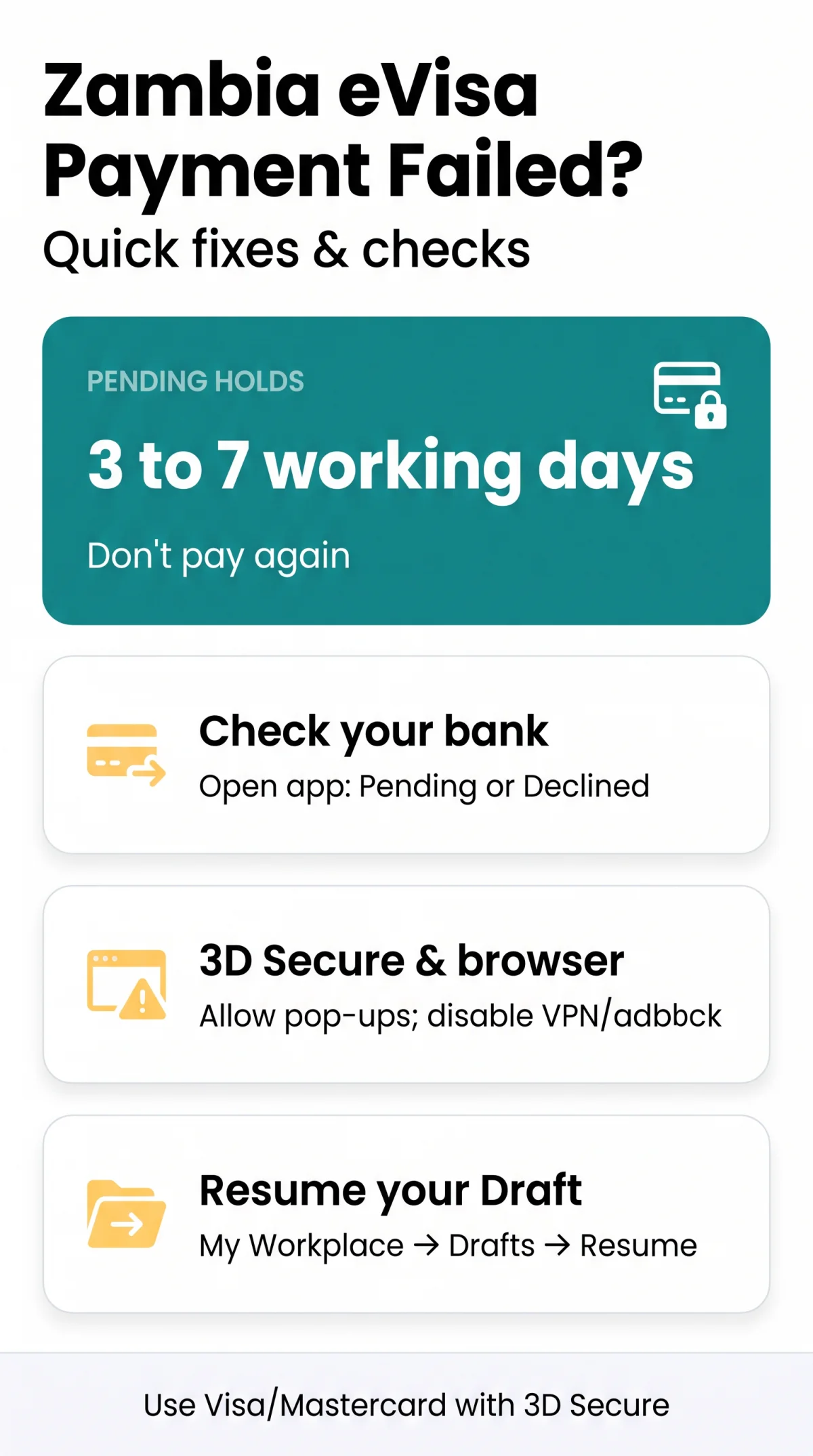
Open your banking app and look at the transaction: what you see tells you what to do next. Pending charges that were never captured usually reverse within 3 to 7 working days, depending on your bank’s policy, so don’t keep clicking Pay.
| What you see | What it means | What to do |
|---|---|---|
| “Pending” in your banking app | Authorisation hold, not a completed payment | Wait 3 to 7 working days, depending on your bank; don’t pay again |
| “Declined by issuer” or “Transaction Failed” | Your bank blocked the payment | Unlock international payments in your banking app, then retry |
| White screen or endless “Processing” | Gateway timeout or blocked 3D Secure pop-up | Fix your browser settings, then retry from your draft |
| Application shows “Draft” in the portal | Payment never cleared, so nothing was submitted | Resume the saved draft – don’t create a new application |
| Money taken, no reference number | Payment may have settled without registration | Email [email protected] with your receipt |
One rule matters most: never click Pay repeatedly in one session, as each attempt can create a new authorisation hold.
Accepted Payment Methods and Currency Requirements
The gateway takes credit and debit cards, and fees are set in US Dollars, so check the card logos shown on the payment page before you pay. Prepaid and virtual cards without 3D Secure often fail, so use a standard debit or credit card that supports online international payments.
| Payment method | Accepted on the gateway | What you need |
|---|---|---|
| Visa debit or credit | Yes | 3D Secure enabled, international payments unlocked, billing address matching bank records |
| Mastercard debit or credit | Yes | 3D Secure enabled, international payments unlocked, billing address matching bank records |
If another person’s card is used, the cardholder must be available to complete the 3D Secure check; the portal does not publish a rule on third-party cards, so confirm with immigration support before paying.
Current Fee Schedule and UK Bank FX Buffers
Fees are set in US Dollars, and your UK bank converts the charge from GBP at its own rate. The official fees are: Single Entry US $25, Double Entry US $40, Multiple Entry US $75, Transit US $25 and the KAZA UNIVISA US $50, per the Department of Immigration visitor pages. The Day Tripper visa (US $10) is issued at a port of entry and cannot be paid for online.
Your bank may add a Non-Sterling Transaction Fee on top. Leave extra funds on the card to cover the conversion spread and any non-sterling fee, because a tight balance can trigger a decline.
Why Your Bank Declined the Zambia eVisa Transaction
Banks often block cross-border card payments with a government or travel-services descriptor, using automated merchant-category rules. The block isn’t personal, and you can usually clear it yourself in a couple of minutes.
Declines also come from 3D Secure failures under Strong Customer Authentication: the verification pop-up never appears, the SMS one-time password (OTP) arrives late, or the app’s biometric check errors out. If your banking app offers in-app approval, use it, because a delayed SMS code can expire before you enter it.
- Open your banking app before paying and turn on international or online payments for your card.
- Check that your cardholder billing address and postcode match what the bank holds exactly.
- Start the payment and approve the 3D Secure prompt in the app when it appears.
- If it still declines, call your bank’s fraud team and ask them to whitelist the transaction.
The Address Verification System (AVS) is a quiet tripwire: a mismatch between the billing address you type and the one on file reads as a fraud signal. Get it character-perfect, including flat numbers.
Browser and Gateway Fixes for Payment Errors
If the screen freezes on “The request has been sent to the bank” and never moves, your browser has almost certainly blocked the 3D Secure window. The gateway opens verification in a pop-up window, and any browser set to block pop-ups will suppress it, leaving the payment hanging.
- Allow pop-ups for the immigration domain in your browser settings.
- Clear your cached payment cookies and any stale session-timeout cookies.
- Pause adblockers and anti-tracking extensions for the session.
- Switch off any VPN before you pay – an IP conflict can trip risk rules.
- Retry on desktop rather than a mobile browser.
A desktop or laptop browser in private mode is the most dependable setup, and if one browser keeps failing, test the payment in another. If the loading screen still spins, switch engines and start a fresh session with autofill switched off so old card data doesn’t clash with the gateway.
Charged Without a Reference Number: Pending Holds Explained
Money gone but no reference number in sight? In most cases your bank placed an authorisation hold – a pre-auth – and the gateway never captured the payment. Banking apps usually send a deduction alert as soon as a hold appears, even when the portal never registered your application, and that alert doesn’t mean the money left for good.
| Bank status | What happened | Effect on your application | Your next move |
|---|---|---|---|
| Pending (authorisation hold) | Gateway reserved funds but never captured them | Application stays in Draft | Wait for the hold to drop, usually within 3 to 7 working days depending on your bank |
| Posted (captured payment) | Payment settled and registered | Application should show Submitted | Keep the Payment Receipt page copy |
| Posted, but no reference number | Settled but not linked to your file | Application may be stuck | Email support with your transaction receipt, the Electronic Bill PDF and your application case number |
If your app shows Pending, wait – the hold normally releases within 3 to 7 working days depending on your bank’s policy, and paying again risks a duplicate charge. If the charge settled and you still have no reference number, email [email protected] with your transaction receipt, the Electronic Bill PDF and your application case number.
Recovering Your Application from the ZIMS Drafts Folder
Your application isn’t lost when the payment fails – unpaid files stay saved in your eServices account (ZIMS 3.0), and you can pick the payment back up without starting over. Resuming the draft avoids paying a second fee for the same application.
- Log back in to your account on the immigration eServices portal.
- Open “My Workplace” and select the “Drafts” folder.
- Click your saved application and press “Resume”.
- Continue to the Electronic Bill and click “Pay Online”.
When should you abandon the draft instead? If the Electronic Bill won’t load, or the payment button errors out every time, start a clean session in a fresh incognito window with autofill disabled. Don’t edit the visa category mid-rescue: once submitted or issued, a category can’t be changed, transferred, or edited.
Refunds and Contacting Immigration Support
The portal does not publish a refund policy for visa fees, so if you were charged twice, report it to immigration support with full evidence and ask how the duplicate charge will be handled. A complete first email gets answered far faster, so gather your evidence before writing in.
- Bank statement (PDF) showing both charges
- Screenshots of the error messages you received
- Your passport number and application date
- Transaction references or Electronic Bill PDFs for both charges
Hold off on a bank chargeback until you’ve tried immigration support directly, so the payment and your application can be checked first.
Contact the Department of Immigration at the Public Relations Office on +260 211 255282, or the Contact Centre on +260 211 428800. By email, use [email protected], [email protected], or [email protected]. Zambia is one hour ahead of UK time, so send queries early in your day to reach the office within Zambian working hours.
Here’s a template that works: “Full name: [name]. Passport number: [number]. Application date: [date]. Transaction reference / application case number: [ID]. Issue: [describe the error or duplicate charge]. Attached: [bank statement, screenshots].”
Common Mistakes That Make Payment Problems Worse
- Clicking Pay five times in a row. Each attempt can create a separate hold. Make one attempt, check your banking app, then decide.
- Starting a new application after a failed payment. Always resume from the Drafts folder first to avoid paying the fee twice for the same application.
- Paying with a prepaid or virtual card. Cards without 3D Secure support frequently fail at checkout, so use a standard debit or credit card.
- Leaving your VPN on during checkout. An IP address that doesn’t match your card’s country can trip the gateway’s risk rules.
- Typing a billing address that doesn’t match bank records. AVS mismatches read as fraud. Copy the address exactly as your bank holds it.
Frequently Asked Questions (FAQ)
Why was my UK debit card declined when paying for the Zambia eVisa?
Most likely your bank’s fraud rules blocked the cross-border card payment. Open your banking app, enable international payments on the card, and retry – that’s usually the only fix needed.
Does the Zambia eVisa portal accept American Express or PayPal?
The portal collects the fee by credit or debit card. Check the card logos on the payment page, and have a standard Visa or Mastercard ready, because prepaid and virtual cards without 3D Secure commonly fail.
My account was charged but my application still shows Draft – what should I do?
Check whether the charge is Pending or Posted. A pending hold usually clears within 3 to 7 working days, depending on your bank, and you can retry from the Drafts folder. If the charge settled, email [email protected] with your receipt, the Electronic Bill PDF and your application case number.
How long does a failed Zambia eVisa pending transaction take to disappear from my statement?
The hold typically releases within 3 to 7 working days, though the timing depends on your bank’s policy. Don’t pay again while it’s pending – you risk a duplicate fee. If it is still showing after seven working days, ask your card issuer to check the status of the authorisation.
Why does the payment screen freeze on “The request has been sent to the bank”?
Your browser is blocking the 3D Secure verification window, which the gateway opens as a pop-up. Allow pop-ups for the immigration domain, clear cached payment cookies, disable adblockers and your VPN, and retry on a desktop browser.
Can I pay for my Zambia eVisa with a card in someone else’s name?
The portal does not publish a rule on third-party cards, so confirm with immigration support before paying. If you do use another person’s card, the cardholder must complete the 3D Secure authentication themselves when the prompt appears, so keep them nearby.
Can I get a refund if I accidentally paid for my Zambia eVisa twice?
There is no published refund rule for Zambia eVisa fees. Email [email protected] with your bank statement, screenshots, passport number and both transaction references, and ask them to review the duplicate charge.
Where do I submit my Zambia eVisa application and payment?
Apply and pay directly on the official portal at eservices.zambiaimmigration.gov.zm. Unpaid applications stay in your Drafts folder, so you can resume the Electronic Bill there if a payment fails.
Sources and Further Reading
- For Visitors – Zambia Department of Immigration: official visa fees, entry requirements, and application guidance.
- eServices – Zambia Department of Immigration: the portal where you submit your eVisa application and complete payment.
Rules and fees can change, so confirm the details on the official portal before you travel.