
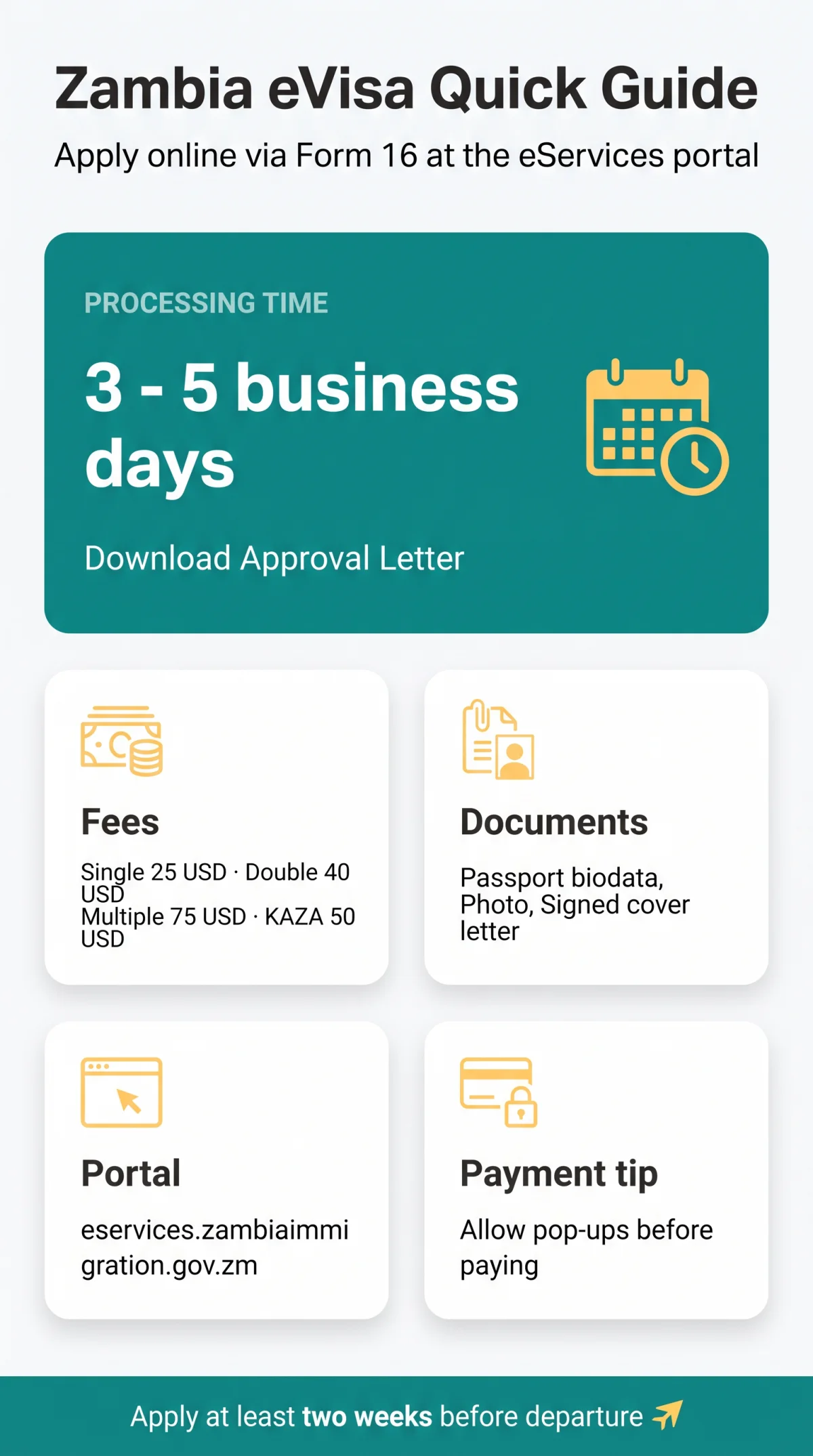
To apply for a Zambia eVisa online, complete Form 16 on the government eServices portal at eservices.zambiaimmigration.gov.zm. Upload your passport biodata page, photo, and signed cover letter as JPEG, PNG or TIFF image files. Pay the statutory fee of 25 – 75 USD after allowing pop-ups for the portal. Processing takes 3 to 5 business days, after which you download your printable Approval Letter from the Outgoing Documents tab.
This guide is for anyone planning the application from the UK – especially travellers who aren’t sure yet whether they even need an eVisa. It’s an independent, informational guide: we’re not a government service, we don’t take payments, and we don’t submit applications on anyone’s behalf. You’ll find every step, fee, and document rule here, but always confirm current details on the official portal before you travel.
What Is the Zambia eVisa and Who Needs One?
The Zambia eVisa is an electronic entry permit issued by the Department of Immigration through its eServices portal, which runs on ZIMS 3.0 – the Zambia Immigration Management System. Instead of visiting an embassy, you complete the application online and receive an Approval Letter by email and in your portal account.
Travellers fall into three groups: those who enter visa-free, those who can get a visa on arrival, and those who must apply in advance. Where you land in that split depends mainly on your nationality and purpose of travel.
UK Visa Exemption vs When an eVisa Is Legally Required
If you hold a British Citizen passport, you don’t need an eVisa for tourism. You enter visa-free for up to 90 days, or up to 30 days for business.
You do need to apply when:
- Your stay will exceed the free visit period; beyond 90 days you apply in Zambia for a Visiting Permit, and business visitors for a Temporary Employment Permit
- You’re travelling to study (School category), or taking up work or volunteering, which requires an immigration permit rather than a visa
- Your nationality isn’t covered by the waiver
- You want a single visa covering both Zambia and Zimbabwe (KAZA UNIVISA)
Watch out for commercial agency sites claiming every traveller must buy an eVisa. That’s incorrect for UK tourists; an agency only charges its own service fee on top of the statutory one.
Zambia eVisa vs KAZA UNIVISA
Planning to cross into Zimbabwe? The KAZA UNIVISA is a joint Zambia – Zimbabwe visa costing 50 USD, valid for 30 days. It also covers day trips to Botswana via the Kazungula border – handy for Victoria Falls itineraries that hop between countries.
If you’re only visiting Zambia, the visa waiver or a standard eVisa is the right route. You can get the KAZA UNIVISA online or at four designated posts:
- Kenneth Kaunda International Airport (Lusaka)
- Harry Mwaanga Nkumbula International Airport (Livingstone)
- Victoria Falls Border Control
- Kazungula Border Control
Visa Types, Validity, and Authorised Stay
Here’s a distinction that catches many applicants: the visa’s validity and your permitted stay are two different things. A standard eVisa gives you a 90-day window from issuance in which you must enter Zambia – it doesn’t mean you can stay 90 days automatically.
Your length of stay is set at the border. The officer stamps an Entry Endorsement into your passport, usually for an initial period of up to 30 days. Tourist stays are verified in 30-day blocks, up to a maximum of 90 days within any 12-month period.
Need longer? You can extend your stay free of charge at the nearest Department of Immigration office (there are regional offices in all ten provinces). Extensions come in 30-day tranches, and you must apply before your current stamp expires.
Fees, Processing Times, and the Application Portal
All applications go through one place: eservices.zambiaimmigration.gov.zm. These are the statutory fees set by the Department of Immigration.
| Visa Type | Statutory Fee | Processing Time | Entry Validity Window |
|---|---|---|---|
| Single Entry | 25 USD | 3 – 5 business days | 90 days from issuance |
| Double Entry | 40 USD | 3 – 5 business days | 90 days from issuance |
| Multiple Entry | 75 USD | 3 – 5 business days | 90 days from issuance |
| Transit | 25 USD | 3 – 5 business days | 7 days |
| Day Tripper | 10 USD | Issued at the border (Victoria Falls, Kazungula) – not available online | 24 hours |
| KAZA UNIVISA | 50 USD | 3 – 5 business days | 30 days (Zambia + Zimbabwe) |
Standard processing takes 3 to 5 business days. Apply at least two weeks before departure.
Private agency sites charge their own service fees on top of these statutory fees. The card payment gateway adds a surcharge of 0.5% to 1.1%, so budget a little above the statutory figure.
Mandatory Documents and File Preparation
Every eVisa application needs three documents, whatever the category: a scanned passport biodata page, a recent passport-style photo, and a cover letter – signed by you for tourism, transit and study, or issued by your host or the inviting institution in the other categories. Your passport must be valid for at least 6 months from your entry date and have at least 3 full blank pages.
For a tourist eVisa, add:
- Return or onward flight ticket
- Confirmed hotel reservation (recommended even where optional)
Upload Specifications: Image Files Only (JPEG, PNG, TIFF)
A common technical failure is the file format. ZIMS 3.0 rejects PDF files in standard attachment fields – it only accepts single image files in JPEG, PNG, or TIFF format. The system generates PDFs as output; it won’t take them as input.
Before you upload:
- Convert every document to a single image file
- Enter a descriptive Document Title in the portal matching each file
Check that your passport scan shows the full biodata page with all edges visible and a readable machine-readable zone (MRZ).
How to Format the Cover Letter
The cover letter is a formal legal requirement, and it goes to one addressee only: The Director General of Immigration, Department of Immigration, Lusaka, Zambia – not to an embassy or consulate.
Your letter must include eight elements: full name, nationality, and passport number; purpose of travel; entry and exit dates; your port of entry; your accommodation address in Zambia; who’s paying for the trip; your occupation and employer; and your handwritten signature.
Here’s a skeleton you can copy and adapt:
[Your Full Name]
[Your Nationality]
[Your Passport Number]
[Your Occupation]
[Your Employer][Date]
The Director General of Immigration
Department of Immigration
Lusaka, ZambiaDear Sir/Madam,
I am writing to apply for a [Single/Double/Multiple] Entry Visa to Zambia for the purpose of [tourism/business/visiting family].
I plan to enter Zambia on [date] via [Port of Entry, e.g., Kenneth Kaunda International Airport, Lusaka] and depart on [date]. During my stay, I will be accommodated at [Full Address/Hotel Name in Zambia]. The costs of my trip will be covered by [myself/employer/sponsor name].
I have attached all required supporting documents, including my passport biodata page, photograph, flight itinerary, and proof of accommodation.
Yours faithfully,
[Handwritten Signature]
[Printed Name]
Visiting Family or Friends: Host Eligibility Rules
Staying with someone in Zambia? Your host must be legally allowed to invite you. Only Zambian citizens with a National Registration Card (NRC), or foreign residents holding a long-term permit such as an Employment or Residence Permit, can sponsor a visitor.
People on a Study Permit, Visiting Permit, Temporary Employment Permit (TEP), or Temporary Permit cannot invite visitors at all, so check your host’s status before you apply.
Ask your host for a cover letter with their full physical address, phone number, and signature, plus a copy of their NRC or permit.
How to Apply for Zambia eVisa Online: Form 16 Walkthrough
The application runs through four stages: account registration, form completion, document upload, and payment. Here’s each one as you’ll meet it in the portal.
Step 1: Registering an Account on the eServices Portal
- Go to eservices.zambiaimmigration.gov.zm
- Click My Profile, then Register
- Choose the Individual Applicant profile (tourists and private travellers)
- Enter your email and password, then activate via the verification link
- Log in and open My Workplace
- Under Available Visas, pick your visa service and click Apply for Visa
The portal offers four profiles: Individual Applicant, Employer Representative, Practising Lawyer, and Registered Immigration Consultant. Tourists need the first one. That final click initiates Form 16, the official visa application form.
Step 2: Completing Form 16 Field by Field
Form 16 asks for your personal, passport, travel and accommodation details. Accuracy matters more than speed here – mismatches with your passport cause rejections.
- Personal data: copy names exactly from your passport’s machine-readable zone, including all middle names; add your nationality, date of birth and work background
- Passport details: number, issuing authority, issue and expiry dates
- Travel details: your port of entry (e-Visa holders may enter through any Zambian port of entry, so select the one on your ticket), declared stay length, and purpose
- Accommodation: your address in Zambia and hotel or host contact details
Step 3: Uploading Documents Without Errors
Assign each prepared image to its dedicated slot: Passport Bio Data Page, Applicant Photo, Cover Letter, Accommodation Proof, and Return Ticket. Type a Document Title that matches the file.
Check the preview of every attachment before confirming. A scan that looks fine in your folder can be unreadable in the portal’s viewer.
Not ready to pay yet? Your unfinished application sits in Draft Applications, and you can pick it up later with the Resume button.
Step 4: Paying the Fee and Fixing the Pop-Up Blocker Freeze
After confirming your form, the system generates a PDF preview, then an Electronic Bill. Click Pay Online and pay with a credit or debit card on the bank’s secure page. Once payment goes through, download the Payment Receipt PDF, note the case number shown, then click Finish to complete the application.
The trap: if your browser blocks pop-ups, the transaction freezes on the message “the request has been sent to the bank”. The bank’s secure payment window opens in a pop-up, and the blocker stops it dead. In your browser settings, allow pop-ups for eservices.zambiaimmigration.gov.zm, then click Pay Online again and finish the transaction.
Check Draft Applications first – if the payment actually succeeded, your case will have moved to Submitted, and retrying could mean paying twice.
Tracking Your Application and Handling a Notice of Reversion
Once you’ve paid and submitted, the application locks. You can’t edit it yourself from the portal – an immigration officer reviews it from there.
My Workplace Stages: From Draft to Approved
Your dashboard, My Workplace, sorts cases into folders:
- Draft – incomplete or unpaid; resume with the Resume button
- Submitted – under review; moved automatically after payment and Finish
- Queried/Reverted – an officer needs something from you
- Rejected – application refused; the decision letter is in Outgoing Documents
- Approved – decision issued; download your letter
Watch your email too. Status notifications also arrive by email.
Responding to a Notice of Reversion
A Notice of Reversion of Application is an official request for information or correction from an immigration officer. It is issued when a required document is missing or an attachment can’t be read – for example a return ticket the officer could not verify. It’s fixable inside the same case.
- Wait for the email alert; your case appears in the Reverted Applications folder
- Open the case, replace or add the document named in the notice, and resubmit the application
Don’t start a fresh application – continue in the existing case.
Downloading and Printing Your Approval Letter
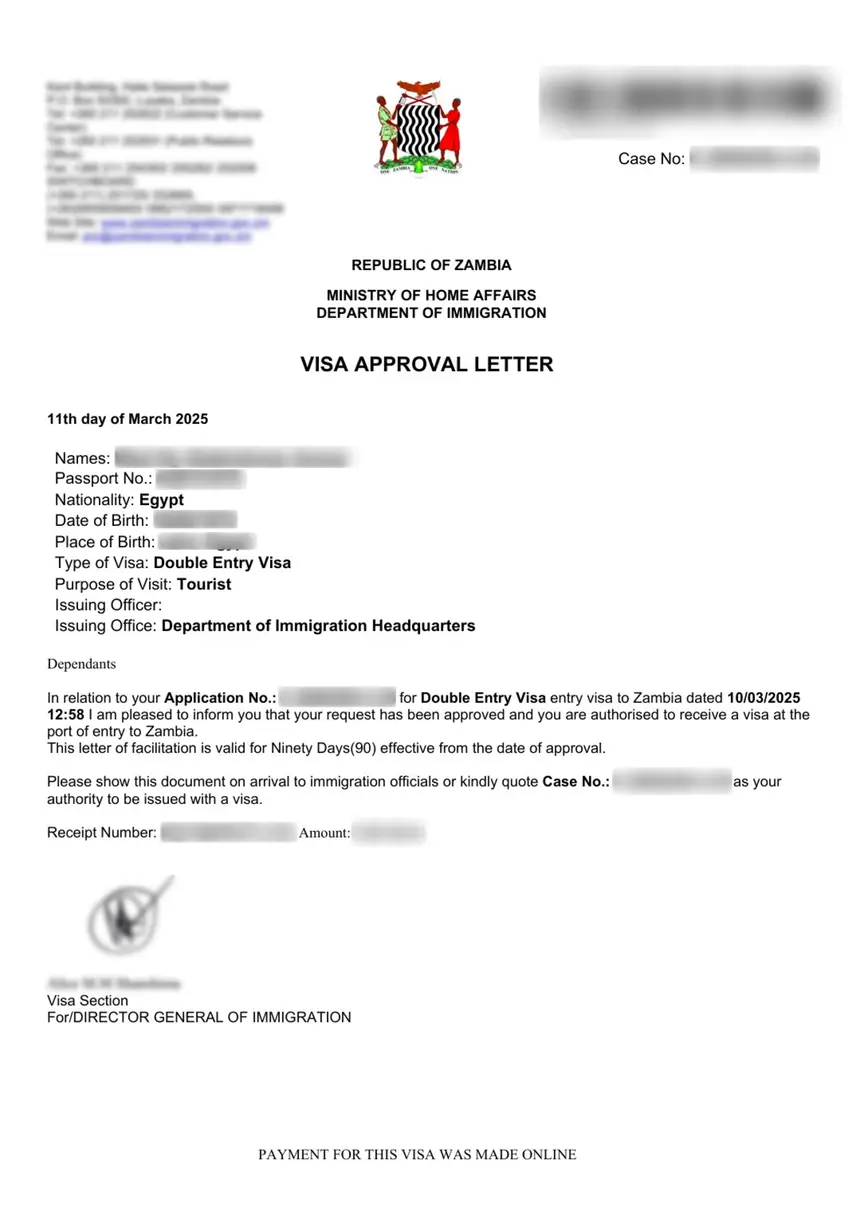
Download the letter from your portal account – you’ll need it on paper at the border.
Retrieving the PDF via Outgoing Documents
- Log in and open My Workplace
- Open the Approved cases folder
- Select your case and click View case
- Go to Outgoing Documents, select the item, and click open form
- Download the e-Visa Approval Letter as a PDF
Print at least two paper copies. The immigration officer usually keeps one copy on arrival, so carry a spare.
At the Border: From Letter to Entry Stamp
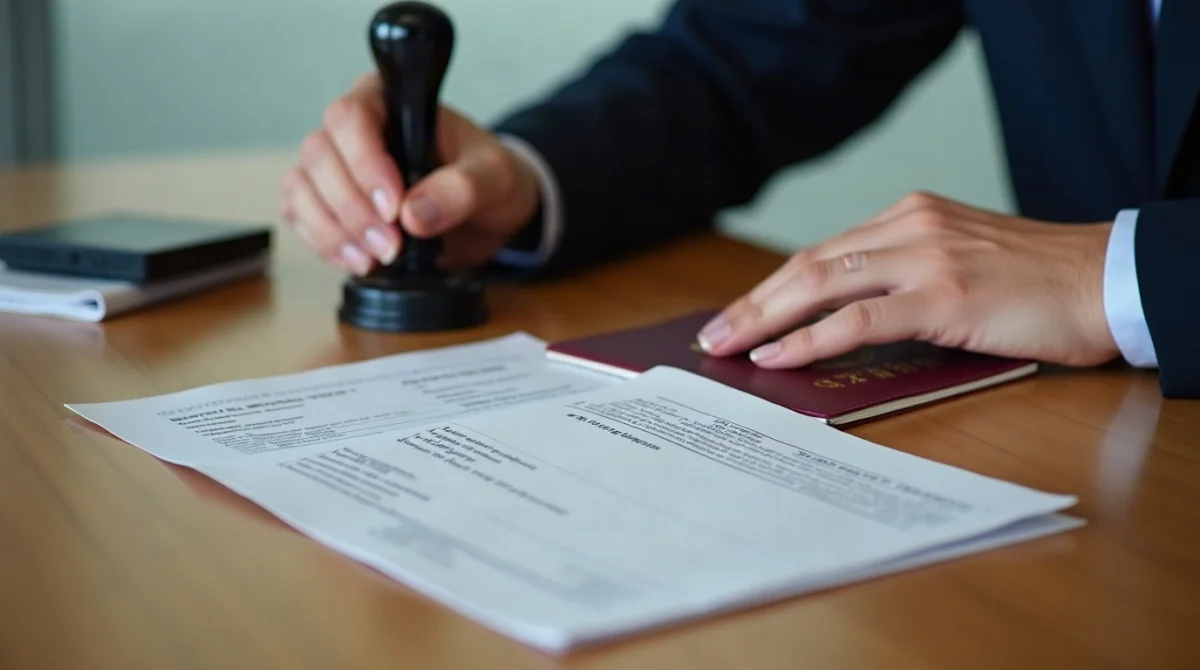
One thing worth knowing before you fly: the Approval Letter authorises travel. At the port of entry you present it with your passport, and the officer endorses the visa in the passport. The final decision rests with the officer on the desk.
You may enter through any port of entry, from Lusaka or Livingstone to land borders like Victoria Falls, Chirundu, and Kazungula; present your documents at immigration control. Hand over your passport, the printed Approval Letter, the original Payment Receipt, and your return or onward ticket.
The officer stamps an Entry Endorsement into your passport – initially up to 30 days. Check the stamped date before you leave the desk. That stamp, not the letter, sets your legal stay.
Special Scenarios: Minors and Business Travellers
Two groups face extra rules. Here’s what changes for each.
Declaring Minors Under 16
Children under 16 cannot apply for an eVisa themselves. Travelling with an adult, they must be included in that adult’s application: a parent or legal guardian appends the child directly to their own Form 16 as a co-traveller.
For each child, prepare their passport, valid for at least 6 months.
Business eVisa: Corporate Documentation
Business meetings, conferences and contract signings need three extra attachments:
- An official invitation on the inviting Zambian institution’s letterhead, with contact details, addressed to the Director General
- A certified copy of the host company’s Certificate of Incorporation
- Your cover letter specifying the commercial purpose of the visit
Common Mistakes That Lead to Rejection
Run through this table before you submit.
| Mistake | Consequence | Correct Approach |
|---|---|---|
| Uploading multi-page PDFs | System rejects the attachment | Convert everything to single JPEG, PNG or TIFF image files |
| Addressing the cover letter to an embassy | Application does not meet the document requirement | Address it to the Director General of Immigration, Lusaka |
| Name mismatch with passport MRZ | May trigger a Notice of Reversion | Copy names exactly, including middle names |
| Missing hotel booking on a tourist application | Case may be reverted for a missing document | Attach the confirmed booking, or your host’s invitation for a visitor visa |
| Applying days before the flight | Risk of missing the flight | Apply at least 14 days before travel |
| Pop-up blocker on during payment | Freeze on “request sent to bank” | Allow pop-ups for the portal before paying |
| Invitation from an ineligible host | The host cannot support the application | Verify the host holds an NRC or Employment/Residence Permit |
Entry Options Compared: Waiver, eVisa, KAZA
Which route fits your trip? This table lines up all five entry methods side by side.
| Entry Method | Cost | Who It’s For | Where to Get It | Validity |
|---|---|---|---|---|
| Visa Waiver | Free | UK and other exempt nationalities; tourism 90 days, business 30 | Automatic at the border | Up to 90 days in any 12-month period (30 days for business) |
| eVisa | 25 – 75 USD | Non-exempt nationalities; stays beyond waiver limits | Online via the eServices portal | 90 days to enter |
| Visa on Arrival | 25 – 75 USD depending on the number of entries | Select nationalities without an advance eVisa requirement | At the port of entry | Set at the border |
| KAZA UNIVISA | 50 USD | Travellers visiting both Zambia and Zimbabwe | Online or at four designated border posts | 30 days, both countries |
| Day Tripper | 10 USD | Same-day visitors to border areas | At Victoria Falls or Kazungula border control only | 24 hours, no overnight |
The waiver only covers tourism and business – not work, study, or stays past 90 days.
Related Requirements: Passport and Border Conditions
Beyond the application itself, a few conditions apply at the border. Your passport needs at least 6 months’ validity from your entry date and at least 3 full blank pages for the Entry Endorsement. Carry a return or onward ticket – officers ask for it.
Your stay is verified in 30-day blocks, up to 90 days per 12-month period. Extensions are free at regional immigration offices, but you must apply before your current stamp runs out.
Remember the limits of the Approval Letter: it authorises you to travel and board, but the immigration officer makes the final entry decision.
Before You Start: Quick Application Summary
Here’s the whole process condensed into one checklist:
- Confirm you actually need an eVisa – UK tourists don’t, for trips under 90 days
- Prepare the passport scan, photo, and cover letter as JPEG, PNG or TIFF image files
- Register an Individual Applicant account at eservices.zambiaimmigration.gov.zm
- Allow pop-ups for the portal before paying
- Apply at least 14 days before departure
- Print two copies of the Approval Letter once approved
Frequently Asked Questions (FAQ)
Do British citizens need to apply for a Zambia eVisa before travelling?
No. British passport holders enter visa-free for tourism up to 90 days and business up to 30 days. Study trips fall under the School category, work and volunteering require immigration permits, and stays beyond the free period are handled in Zambia through a Visiting Permit or Temporary Employment Permit. If your trip also includes Zimbabwe, the KAZA UNIVISA (50 USD) covers both countries for up to 30 days.
What should I do if the payment screen freezes with “request sent to bank”?
Your browser’s pop-up blocker is stopping the bank’s secure payment window from opening. Allow pop-ups for eservices.zambiaimmigration.gov.zm in Chrome, Safari, or Edge, then refresh and complete the transaction. Check Draft Applications first to confirm whether the payment already went through.
Can I upload PDF documents when submitting Form 16 on the eServices portal?
No. ZIMS 3.0 rejects PDF files in standard attachment fields. Convert every document – passport scan, photo, cover letter, itinerary, accommodation proof – to a single image file in JPEG, PNG, or TIFF format before uploading. The system generates PDFs itself, but doesn’t accept them as uploads.
How do I address the mandatory cover letter for the Zambia eVisa?
Address it to The Director General of Immigration, Department of Immigration, Lusaka, Zambia – never an embassy or consulate. Include your full name, nationality, passport number, travel dates, port of entry, accommodation address, funding source, occupation, and handwritten signature.
What is a Notice of Reversion, and will I have to pay the visa fee again?
It’s an official Request for Information from an immigration officer when your application has a defect – an illegible scan, missing document, or data error. Open the Reverted Applications folder, upload the requested document in the existing case, and resubmit it rather than starting a new application.
Can a friend residing in Zambia on a Study Permit sponsor my visitor visa?
No. Holders of a Study Permit, Visiting Permit, Temporary Employment Permit, or Temporary Permit cannot legally issue invitation letters. Only Zambian citizens with a National Registration Card, or foreign residents with a long-term permit such as an Employment or Residence Permit, can sponsor a visitor.
How do I apply for a Zambia eVisa online for children under 16?
Children under 16 cannot apply for an eVisa themselves; when travelling with an adult they must be included in that adult’s application. The parent or legal guardian appends the child’s details to their own Form 16 as a co-traveller. You’ll need the child’s passport, valid for at least 6 months.
Where can I download my Approval Letter once the status shows “Approved”?
Log into the eServices portal, go to My Workplace, open the Approved cases folder, and select your case. Click View case, then open Outgoing Documents, select the item, and click open form. The Approval Letter downloads as a PDF – print two copies.
Sources and Further Reading
- Zambia eServices portal – the government site where you register, complete Form 16, pay, and download your Approval Letter
- Department of Immigration – For Visitors – visa categories, eligibility, and application instructions
- Visa Requirements by Purpose of Visit – document checklists by purpose of visit and accepted file formats
- Ministry of Home Affairs and Internal Security – Department of Immigration – official overview of immigration services
Rules can change, so confirm current requirements on the official portal before you travel.