
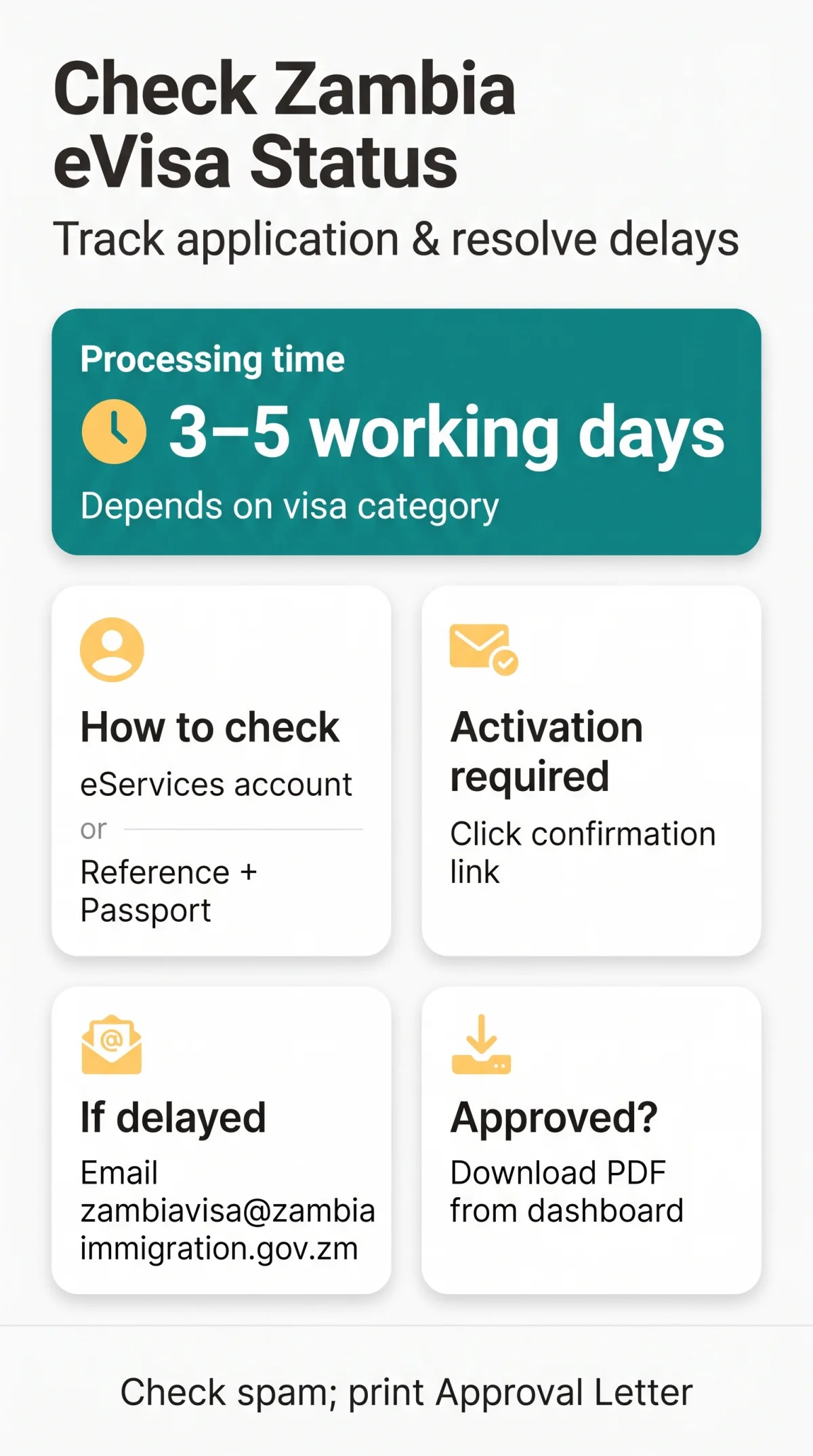
A Zambia e visa status check needs one of two things: your eServices account login, or your application reference number and passport details on an agency tracker. Routine processing takes 3 or 5 working days, depending on your visa category, and if your application is pending or delayed, you escalate directly with the Department of Immigration using your reference details.
This guide is for UK travellers who’ve already applied and are waiting for a decision. It’s an independent travel information resource, not a government service. The official portal is eservices.zambiaimmigration.gov.zm, and it’s worth confirming your details there before you fly.
Two Ways to Check Your Zambia eVisa Status
Which route you take depends on how you applied.
| How you applied | Where you track | What you enter |
|---|---|---|
| Directly on the government portal | eServices account dashboard | Registered email and password |
| Through an agency or third party | That provider’s tracking tool | Order/Application ID plus passport number, plus captcha |
What You Need Before You Check
Gather these inputs first – a missing or mistyped detail is a frequent reason a lookup fails:
- Your application reference number (alphanumeric, issued on your submission confirmation)
- Your passport number, exactly as it appears on the bio page
- Your registered email address, for account login
Reference Number vs Payment Transaction ID
People often paste the wrong number. Your application reference is the alphanumeric string the immigration system generated when you submitted. Use the application reference from your submission confirmation – a payment receipt number is not your case reference.
The Activation Email: Why Applications Show No Status
Here’s the step most guides skip: after you submit, the system emails you a confirmation link, and you must click it. Processing and tracking only start once you’ve activated. If you never clicked, your application never entered the officer queue, and a lookup won’t find your case. Check your spam or junk folder for that link before anything else; activation is a required step – without it the application is not processed.
Step-by-Step: Track Your Zambia eVisa with Reference Number
Direct applicants log in; agency applicants use the provider’s tracker.
- Go to https://eservices.zambiaimmigration.gov.zm/ and log in with your registered credentials.
- Open your account dashboard and select your application to see its current status.
- Review your case history and the current status label with its timestamp.
- Download any decision letter (approval or rejection) straight from the dashboard.
Applied through an agency? Enter your Order ID with your passport number on their tracking page, complete the captcha, and read the same status stages described below.
If the tracker can’t find your application, check three things in order: did you click the activation link, are you using the application reference rather than the payment receipt, and did the reference number copy over without typos or extra characters?
What Each Zambia eVisa Status Stage Means
Statuses move from receipt to review, then to a decision.
- Received / Submitted – your application is logged in the eServices system and queued.
- Processing / Under Review – an immigration officer is assessing your documents and running checks; no action is needed unless you’re asked for additional documents.
- Approved – an e-Visa Approval Letter (PDF) has been generated. Download it from your dashboard or get it by email.
- Visa Sent / Delivered – the approval letter copy has been dispatched to your registered email.
- Rejected / Denied – the application was refused; you can download the rejection letter from the tracking facility and re-apply after fixing the issue.
- Cancelled / Closed – the order was cancelled or closed.
- Unknown / Invalid – your entered details don’t match system records; recheck your inputs.
If more documents are needed, you’ll be contacted by email – usually for items such as a hotel booking, return air ticket or invitation letter. Send them promptly.
Approved: Downloading Your Entry Clearance Letter
When your status reads Approved, log in and download the PDF from your dashboard – don’t just wait for the email. Print it and carry it with you. At the port of entry, you present your passport and the printed letter to the Immigration Officer, pay the visa fee if you haven’t already, and the officer affixes the physical visa sticker. The letter is an entry clearance, not a passport vignette – the endorsement happens at your port of entry. An approved letter doesn’t guarantee entry; the border officer makes the final call.
Processing Times and Lusaka Operating Hours
Standard turnaround is 3 or 5 working days, depending on your visa category, counted in working days rather than calendar days.
| Visa category | Standard turnaround |
|---|---|
| Tourist eVisa | 3 to 5 working days |
| Business eVisa | 3 to 5 working days |
| Transit eVisa | 3 working days |
Working days exclude weekends and Zambian public holidays. Once issued, a tourist eVisa is valid for 90 days from the date of issue and allows stays of up to 90 days within a 12-month period.
Zambia eVisa Pending or Delayed: Your Escalation Plan
If you’re past the standard processing time for your visa category, work through this roadmap rather than refreshing the portal hourly.
- First: Check your spam/junk folder for document requests and re-verify your submitted documents.
- Then: Email [email protected] with your full case details.
- If there’s still no update: Call the Contact Centre on +260 211 428800 or the Public Relations Office on +260 211 255282.
Common stall causes: a typo in your passport number, low-resolution scans, application details that don’t exactly match your passport, a non-compliant photo, or peak-season and public-holiday backlogs.
Copy this email template and fill in every field so your enquiry can be matched to your case:
Subject: Status enquiry – Application Reference [ID]
To: [email protected]
Dear Sir/Madam,
I submitted a Zambia eVisa application on [date] and it remains pending beyond the standard processing time. My details: Full name: [name]; Registered email: [email]; Application Reference ID: [ID]; Passport number: [number]; Travel date: [date].
I would be grateful for an update on my application status.
Kind regards, [name]
Approved Without PDF, and Typo Corrections
Status says Approved but no email arrived? Log into your eServices account and download the Approval Letter PDF directly from the dashboard – you don’t need the automated email. If you spot a misspelled passport number, email [email protected] with your reference number and a scan of your passport bio page before you travel. If your application was rejected, you can re-apply online once you’ve fixed the flagged issue, or apply for a sticker visa at the nearest Zambian embassy or high commission.
Zambia eVisa vs KAZA UniVisa
Not every Zambian visa can be tracked online, and waiting for an update that will never come is a real trap.
| Feature | Standard Zambia eVisa | KAZA UniVisa |
|---|---|---|
| Where you get it | Online, before travel | At designated border ports only |
| Online status tracking | Yes, via eServices or agency tracker | No – it’s not an online eVisa |
| How you receive it | Approval letter by email and as a dashboard PDF | Issued at the port of entry: Kenneth Kaunda International Airport, Harry Mwaanga International Airport, Victoria Falls Border, Kazungula Border |
The KAZA UniVisa (joint Zambia/Zimbabwe) is not available online and is issued at the ports of entry listed above, so there’s no reference number to track. A standard single-entry eVisa suits a straightforward Zambian trip; the KAZA UniVisa makes sense if you’re crossing between Zambia and Zimbabwe repeatedly via those ports.
Common Mistakes When Checking Your Status
- Skipping the activation email. Your application stays out of the queue, and the tracker won’t find your case. Click the confirmation link the moment it arrives.
- Entering the payment receipt ID. The gateway’s transaction number isn’t your case reference. Use the alphanumeric ID from your submission confirmation.
- Counting calendar days. Weekends and Zambian holidays don’t count. Escalate once the standard processing time for your visa category has passed.
- Paying a site to “unlock” your status. Checking your status on the eServices portal or an agency tracker costs nothing; a commercial intermediary may charge for handling an application, but a site that impersonates the Department of Immigration and demands a fee just to show your status is best avoided.
Frequently Asked Questions (FAQ)
How long does a Zambia e visa status check take to show an update after submission?
Tracking starts once you’ve clicked the activation link in your confirmation email, and the dashboard then shows the current stage. A decision normally follows within 3 or 5 working days, depending on your visa category. If nothing shows at all, you probably haven’t activated the application yet.
Why can’t the tracking portal find my reference number?
Two usual causes: you skipped the activation link, or you’ve entered the payment transaction ID instead of the application reference. Check each in that order.
What should I do if my Zambia eVisa application is still pending beyond the standard processing time?
Check your spam folder for document requests first. Then email [email protected] with your reference number and travel date. If there’s still no update, call the Contact Centre on +260 211 428800.
My status says “Approved” but I have not received the approval letter email – what can I do?
Log into your eServices account and download the Approval Letter PDF directly from your dashboard. The automated email isn’t needed; the dashboard copy is the same document. Print it for the port of entry.
Can I correct a misspelled passport number after checking my status online?
Contact the Department of Immigration as soon as you spot the error: email [email protected] with your application reference and a scan of the correct passport bio page, before you depart.
Does an “Approved” eVisa status guarantee entry into Zambia?
No. The Approval Letter is an electronic entry clearance, but the Immigration Officer at the port of entry makes the final decision and affixes the physical visa sticker. Carry your passport and the printed letter.
Is there any fee to check the status of my Zambia eVisa online?
Checking your status is free, both on the eServices portal and on agency trackers. Commercial intermediaries charge for handling applications, not for displaying a status, and a site posing as the Department of Immigration and asking for card details should be avoided.
Can I track a KAZA UniVisa online using the standard tracking portal?
No. The KAZA UniVisa is not available online – it’s issued at designated ports of entry in Zambia and Zimbabwe, so there’s no online application or reference number to track.
Sources and Further Reading
- Zambia Department of Immigration eServices portal – account login, application tracking, and document downloads.
- Zambia Department of Immigration – Tracking status – guidance on following your application.
- Zambia Department of Immigration – contact numbers and general visa information.
- Ministry of Home Affairs and Internal Security – Department of Immigration – processing times, KAZA UniVisa issuance points, and entry procedures.
- GOV.UK – eVisas – the separate UK Home Office system, for readers who landed here by mistake.
Rules can change, so confirm details on the eServices portal before you travel.